

Keep Services Available During a SLES 15 SP5 to SP6 Upgrade

SLES 15 SP5 can migrate online to SP6, but each node must reboot. Use a tested rolling upgrade or blue-green cutover to keep workloads reachable.
Facebook allows you to display followers on Facebook or not outside the personal information interface, when we enable the Facebook follow button .
At that time, anyone who enters your Facebook account can see the number of followers on your Facebook, whether they are friends or strangers. Many people want to show followers on Facebook when the account has a large number of followers, showing the trust and accuracy of that account. The article below will guide you to show followers on Facebook.
Instructions to show the number of Facebook followers on your phone
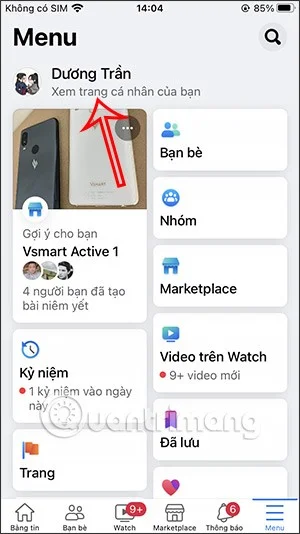
Step 1:
At the interface on the Facebook application, you click on your personal Facebook account . In the personal Facebook interface, we continue to click on Edit personal page .
Step 2:
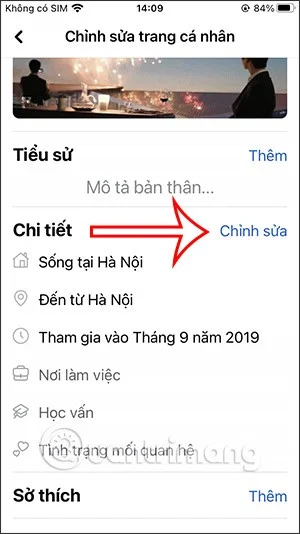
Switch to the new user interface, scroll down below, in the Details section, we click on Edit to change the information displayed publicly in the personal Facebook interface.
Step 3:
Displays the interface of your personal information appearing on the Facebook interface. You scroll down below and we will see the Followers section . We check the square box that displays the number of people following your Facebook account.
Finally, click Save to change the new settings for Facebook.
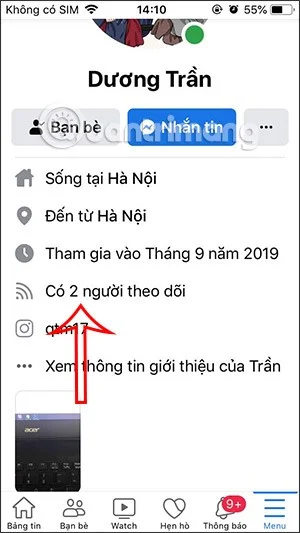
The result when you return to your personal Facebook interface will be the number of Facebook followers.
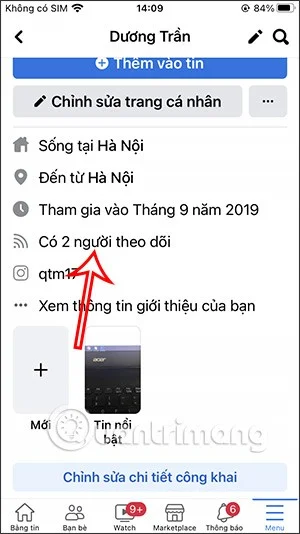
When other people visit your Facebook, they will also see the number of Facebook followers as below.
How to display Facebook followers on PC
Step 1:
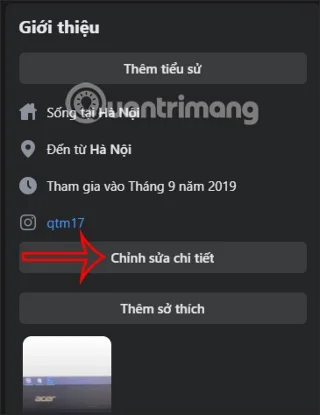
We access the interface on Facebook and then click on Introduction , then click on Edit details .
Step 2:
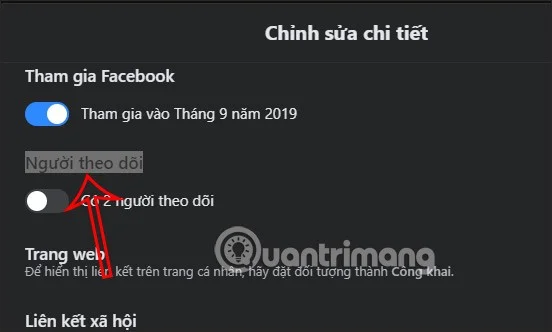
Now the interface displays all your personal information will be displayed publicly on the Facebook introduction interface. Users scroll down below and will see the Followers section .
You need to enable this Followers visibility .
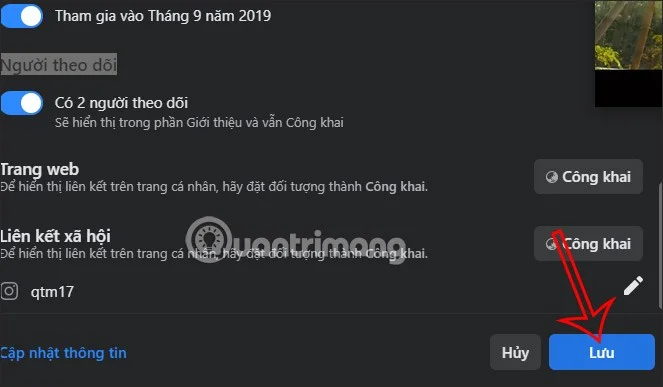
Then we click the Save button below to save this setting for your Facebook account.
Step 3:
When you return to your personal Facebook interface, you will see the number of people following your Facebook account.
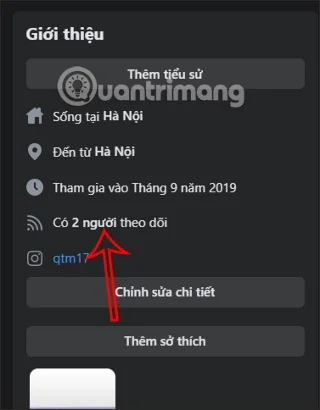
Video tutorial on showing followers on Facebook
SLES 15 SP5 can migrate online to SP6, but each node must reboot. Use a tested rolling upgrade or blue-green cutover to keep workloads reachable.
Use SUSE’s supported STIG profile to scan SLES 15, test remediation, review remaining findings, and retain assessment evidence.
Trace a failed Cockpit connection through DNS, port 9090, the systemd socket, firewalld, TLS, and login settings using current SUSE guidance.
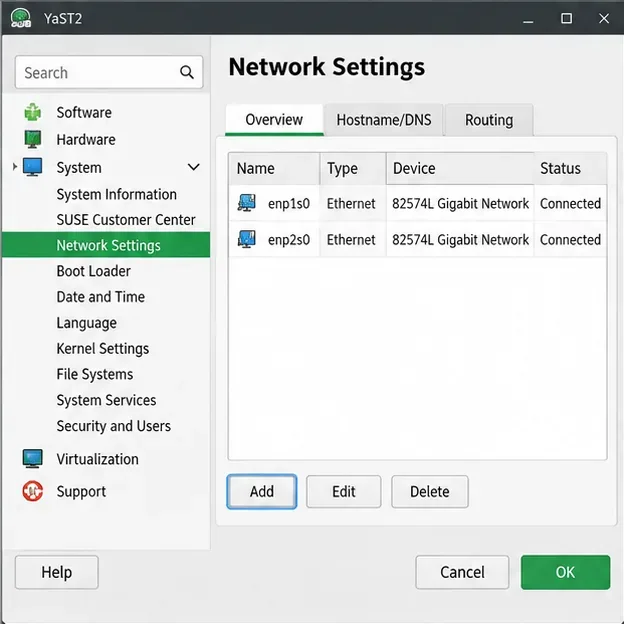
Create a redundant Ethernet connection on SLES 15 with YaST and Wicked, configure active-backup bonding, and verify both ports and failover.
Turn an existing SLES 15 system into a reviewed AutoYaST profile, validate it, and use it to deploy a test server with fewer manual steps.
Install the SLES 15 KVM and libvirt tools, enable the right host service, and configure selected virtual machines to start after a reboot.
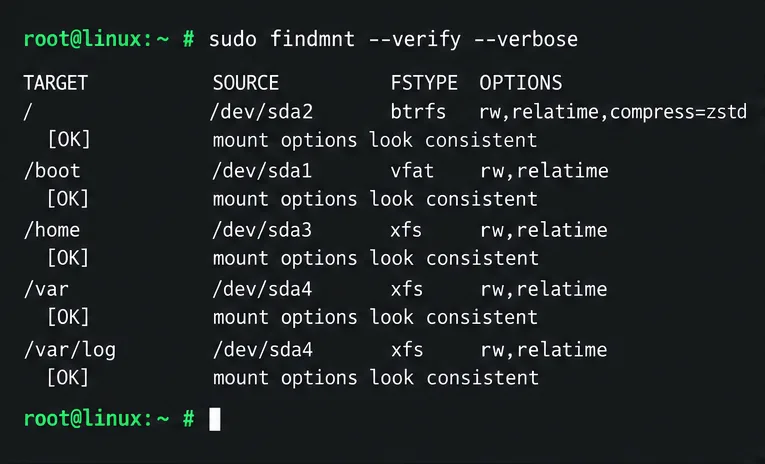
Use systemd jobs and the previous boot journal to locate a slow service, mount, or storage dependency, then correct it without masking the cause.
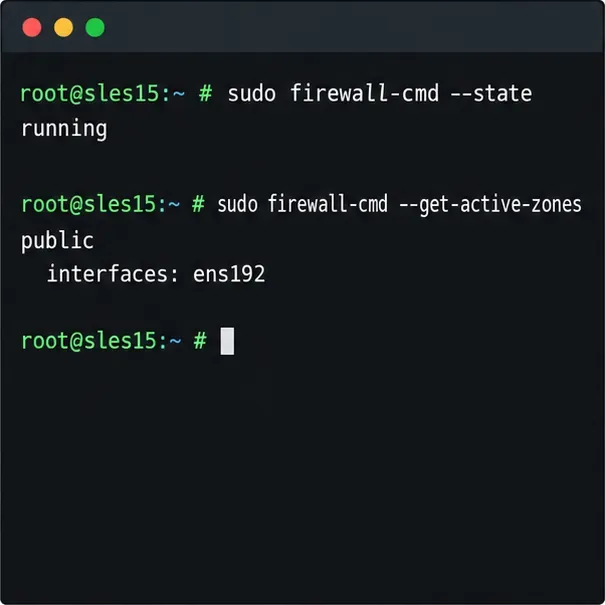
Use firewall-cmd to inspect the active zone, allow HTTP safely, preserve SSH access, and verify that the rule survives a reload on SLES 15.
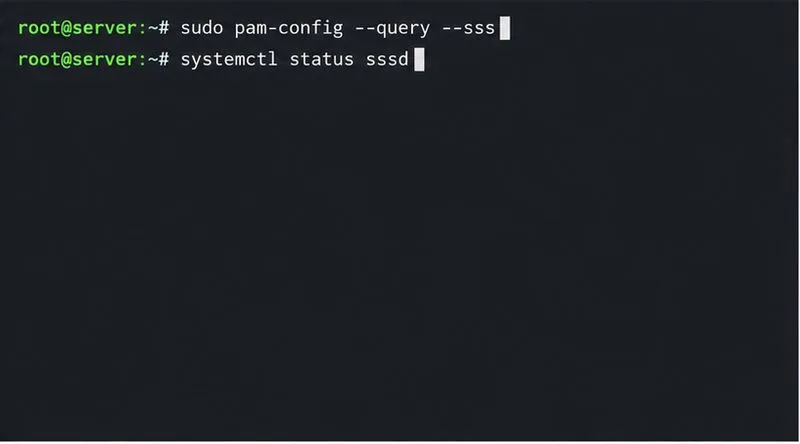
Trace a PAM failure to its service, account policy, or identity provider, then repair the right SLES configuration while preserving a working admin session.
Trace a failed kernel module at SLES startup, correct an obsolete boot entry or repair the required driver, and verify the next boot.