Get LibreOffice to Recognize Your Java Runtime

Install a compatible Java runtime, enable it in LibreOffice, and troubleshoot an empty JRE list without changing unrelated settings.
Sent messages with an old job title or missing phone number can hurt your professional image. Knowing how to update email signature in Outlook ensures your contact details stay current across every email. This guide covers the exact menu paths for both the desktop application and Outlook on the web.
Outlook stores signatures separately for new messages and replies. The desktop version saves signatures as rich text files on your computer, while the web version keeps them in your Microsoft 365 account. Make sure you are signed in with the correct Microsoft account before starting so changes apply to the mailbox you actually use.
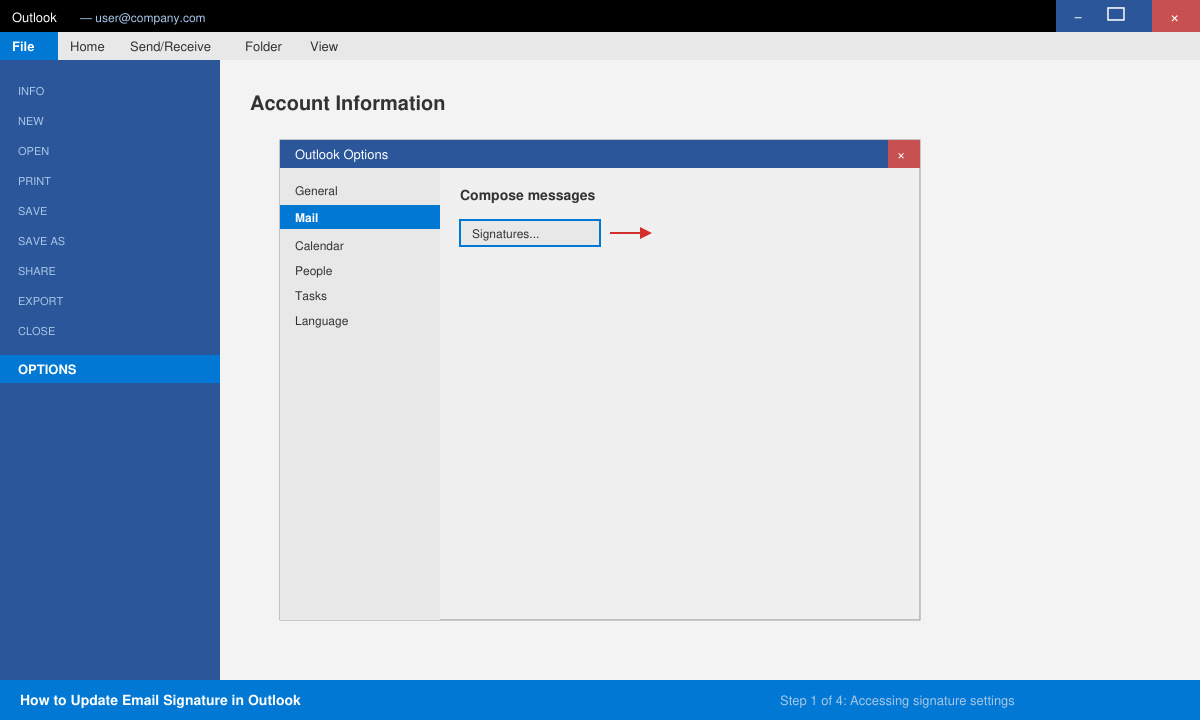
Launch Outlook on Windows or Mac. Click File in the top-left corner, then select Options. In the Outlook Options window choose Mail from the left sidebar and click the Signatures button near the bottom of the right pane.
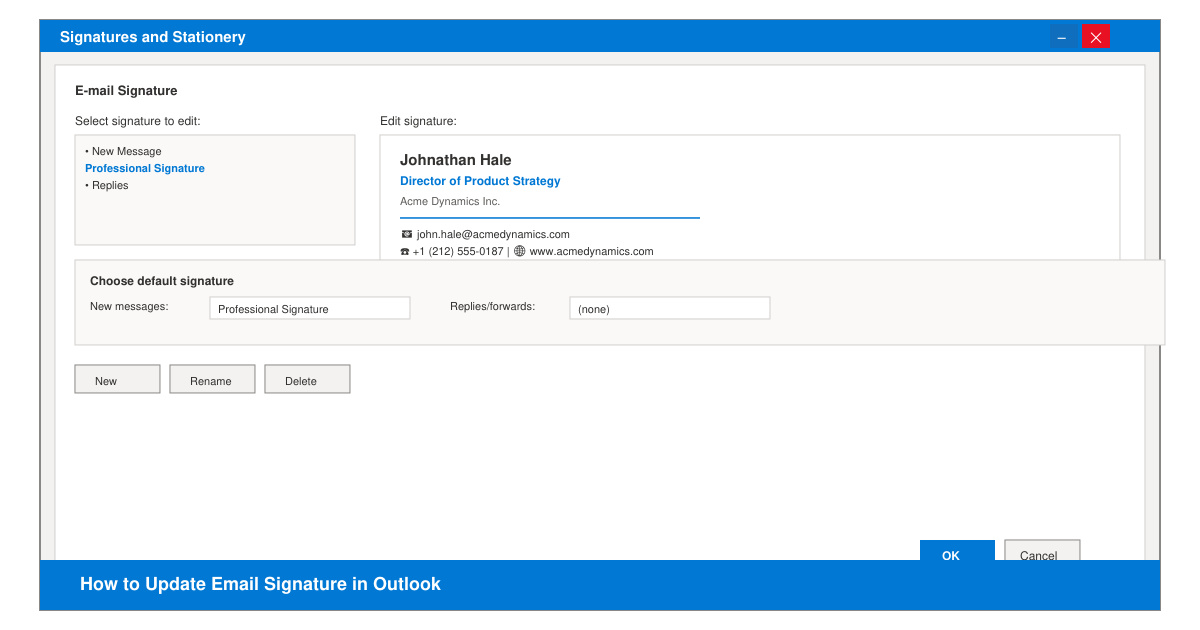
In the Signatures and Stationery dialog, select an existing signature from the list or click New to create one. Type or paste your updated details in the edit box. Use the formatting toolbar to adjust fonts, add hyperlinks, or insert a small company logo image.
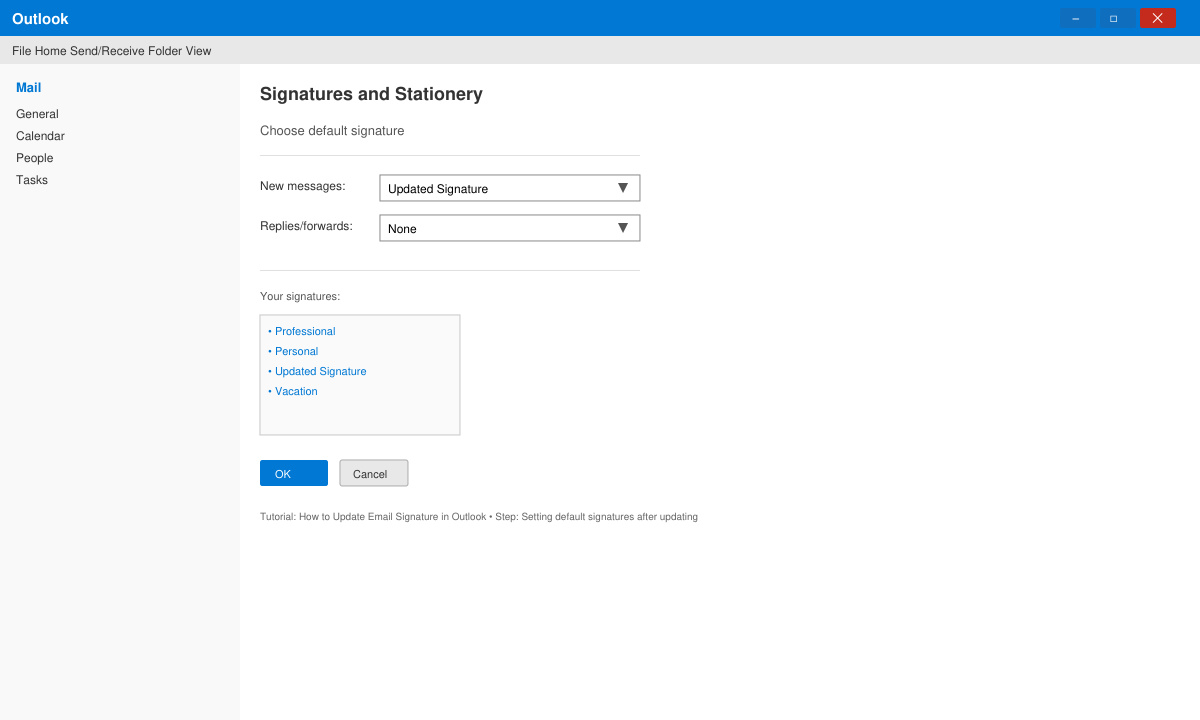
Under the Choose default signature section, pick your updated signature for the New messages dropdown and the Replies/forwards dropdown. Click OK to save. Outlook now applies the new signature automatically.
Sign in at outlook.office.com. Click the gear icon, select View all Outlook settings, then choose Mail followed by Compose and reply. Scroll to the Email signature box, replace the old text with your updated version, and toggle the option to automatically include your signature on new messages or replies. Click Save when finished.
Yes. In the desktop app use the picture icon in the formatting toolbar. On the web, click the image button inside the signature editor and upload a small PNG or JPG file under 100 KB for best results.
No. Changes only apply to future messages. Previously sent emails keep the signature that existed at the time they were sent.
Desktop signatures stay local to that computer. Web signatures stored in Microsoft 365 sync automatically to any device using the same account.
Following the steps above lets you update email signature in Outlook quickly and keep every message looking professional.
Install a compatible Java runtime, enable it in LibreOffice, and troubleshoot an empty JRE list without changing unrelated settings.
Build a small LibreOffice container, convert office documents without a GUI, and verify PDF output while limiting host-file access.
Reduce oversized LibreOffice presentation files by compressing embedded photos, choosing sensible image settings, and checking slide quality before sharing.
Match LibreOffice’s page dimensions to your printer, check printable margins, and correct scaling before printing a custom-size document.
Replace repeated cell access with bulk range reads and writes, then benchmark the result and protect formulas in large Calc workbooks.
Split a long manuscript into chapters, assemble them in Writer, and keep styles, contents, and export checks consistent.
Use Base’s direct PostgreSQL option to enter your server details, sign in, save an ODB connection file, and troubleshoot common access errors.
Install a font in your Linux user font folder, restart LibreOffice Flatpak, and confirm it appears in Writer without weakening the app sandbox.
Protect your work and isolate network-drive save crashes in LibreOffice on macOS Sonoma with a local-first workflow, permission checks, and targeted tests.
Preserve leading zeros in Calc by setting ID columns to Text during CSV import, checking the preview, and verifying the saved data.








