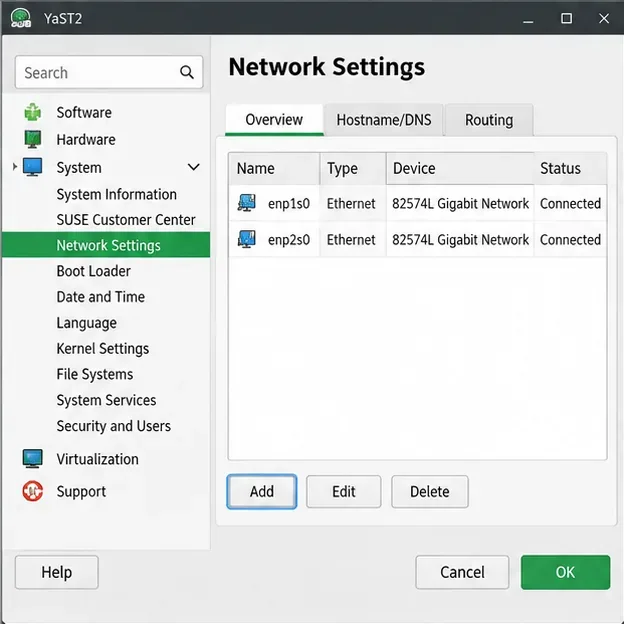
Build a Local SUSE Update Server with RMT on SLES 15

Set up RMT on SLES 15, mirror entitled repositories, and verify HTTPS registration and package access from a test client.
The soulmate system is a new feature that has appeared since the Lien Quan - Misty Island update . However, not all players fully understand the information about this feature, so through this article, Quantrimang will help you better understand this feature.
Table of Contents
The steps to setting up a soulmate are relatively simple, here are the steps you need to take.
Step 1: Access the game Lien Quan
Step 2: Click on Social

Step 3: Select Intimacy.
Step 4: Go to the Create a soulmate section and select the person you want to make a soulmate with.

Here will appear friends who are close enough for you to become soulmates. To do this, you need to click on Create Soulmate under the name of the player you choose.
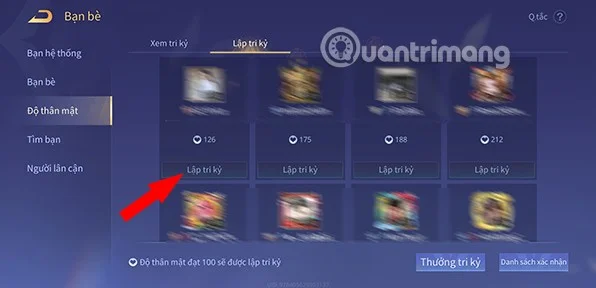
Step 5: There will be 4 types of soulmates for you to choose from. Including:
Select the soulmate you want and click Send Request.

Then the person you want to be your soulmate with will receive a notification, when they agree to be your soulmate the process will be complete.
The number of soulmates is limited, so if you want to make a soulmate with another player when there is no more space, you will need to delete the old soulmate. To be able to delete a soulmate, you will need to follow the steps below.
Step 1: Access the game Lien Quan
Step 2: Click on Social
Step 3: Select Intimacy.
Step 4: At the top right corner of each confidant there will be a Break relationship icon , click here and select Cancel confidant.

Step 5: The system will display a confirmation message. When you are sure about deleting the confidant, click Cancel confidant to confirm one last time.

See also:
Set up RMT on SLES 15, mirror entitled repositories, and verify HTTPS registration and package access from a test client.
Connect SLES 15 to AD with YaST’s SSSD-based logon management, then verify directory lookup, domain login, and Kerberos tickets.
Set up the right Live Patching path for SLES 16.0 or 15 SP7, apply eligible kernel fixes, and confirm what is active without confusing it with a reboot-required kernel update.
Load a custom SLES 15 kernel module without disabling Secure Boot. Match the running kernel, sign the .ko file, enroll a MOK key, and verify loading.
SLES 15 SP5 can migrate online to SP6, but each node must reboot. Use a tested rolling upgrade or blue-green cutover to keep workloads reachable.
Use SUSE’s supported STIG profile to scan SLES 15, test remediation, review remaining findings, and retain assessment evidence.
Trace a failed Cockpit connection through DNS, port 9090, the systemd socket, firewalld, TLS, and login settings using current SUSE guidance.
Create a redundant Ethernet connection on SLES 15 with YaST and Wicked, configure active-backup bonding, and verify both ports and failover.
Turn an existing SLES 15 system into a reviewed AutoYaST profile, validate it, and use it to deploy a test server with fewer manual steps.
Install the SLES 15 KVM and libvirt tools, enable the right host service, and configure selected virtual machines to start after a reboot.