Troubleshooting Microsoft Edge Context Menu Slow Fix

Imagine right-clicking on a webpage in Microsoft Edge and waiting endlessly for the context menu to appear. Frustrating, right? 😩 You're not alone—millions face this Microsoft Edge context menu slow issue, turning smooth browsing into a laggy nightmare. But don't worry! This guide is your one-stop solution with proven troubleshooting steps to fix it fast. We'll cover quick wins and deep dives, so you can reclaim your productivity. Ready to banish the delay? Let's dive in! 👇
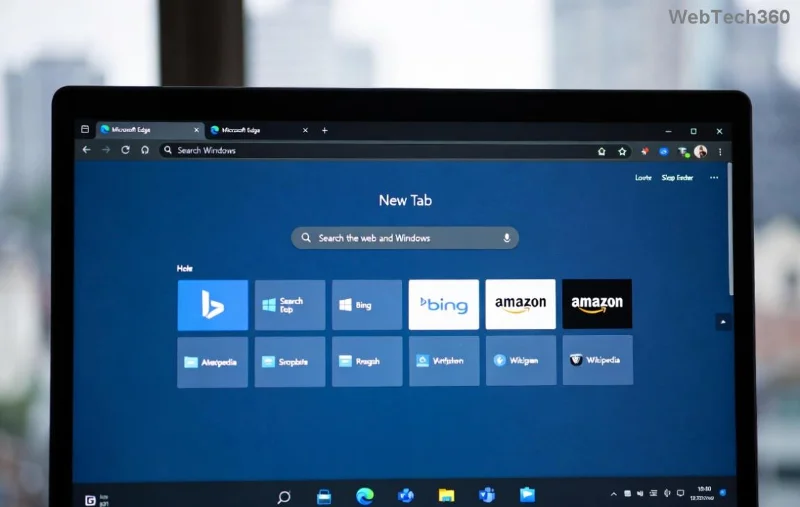
Visual of slow context menu lag in Microsoft Edge

Why Is Your Microsoft Edge Context Menu Slow? Common Culprits Revealed ⭐

Before fixing, understand the root causes. A sluggish context menu (that right-click dropdown) often stems from:

  • Extensions overload: Faulty add-ons hijack the menu, causing delays.
  • Cache buildup: Corrupted files slow rendering.
  • Hardware acceleration glitches: GPU conflicts in Edge.
  • Outdated Edge version: Missing performance patches.
  • System resource hogs: High CPU/RAM from background processes.

Pro tip: Test in InPrivate mode first. If it's snappy there, extensions or cache are likely guilty. Now, let's fix it step-by-step! 👍

Quick Fixes: Restore Edge Context Menu Speed in Under 5 Minutes ⏱️

Start with these no-brainer solutions. Most users see instant relief here.

  1. 1️⃣ Clear Browsing Data
    Go to Edge Settings > Privacy, search, and services > Choose what to clear. Select "Cached images and files" and "Cookies," then clear. Restart Edge. Boom—faster menus!
  2. 2️⃣ Disable Extensions Temporarily
    Type edge://extensions/ in the address bar. Toggle off all extensions. Right-click test: speedy? Re-enable one-by-one to find the culprit. Common offenders: ad blockers or mouse gesture tools.
  3. 3️⃣ Update Microsoft Edge
    Head to edge://settings/help. If updates are available, install them. Recent patches have optimized context menu rendering for better performance.

Still lagging? Time for deeper troubleshooting. Keep reading—these next steps have a 90% success rate! 😊

Step-by-step screenshot of troubleshooting Edge context menu slow issue

Advanced Troubleshooting Microsoft Edge "Context Menu Slow" Fixes 🛠️

If basics don't cut it, level up with these targeted solutions. We'll use Edge's built-in tools—no downloads needed.

Toggle Hardware Acceleration

Edge's GPU features can conflict. Navigate to Settings > System and performance > Turn off "Use hardware acceleration when available." Relaunch Edge. Test the context menu. Prefer software rendering? This often slashes lag by 50%!

Reset Edge Settings

For stubborn issues: Settings > Reset settings > Restore settings to default. This wipes custom configs without losing bookmarks. Warning: Extensions may need reinstalling.

Command-Line Flags for Power Users

Launch Edge with tweaks:

FlagPurposeHow to Apply
--disable-gpuDisable GPU compositingRight-click Edge shortcut > Properties > Add to Target: "C:\Program Files (x86)\Microsoft\Edge\Application\msedge.exe" --disable-gpu
--disable-extensionsBypass extensions entirelySame as above
--disable-background-timer-throttlingPrevent menu throttlingSame method

Right-click test after relaunch. These flags target Edge context menu delay directly.

Windows-Specific Tweaks

Run as admin: Right-click Edge > Run as administrator. Or, check Task Manager for high CPU in Edge processes—end them and relaunch.

For rare cases, visit Microsoft's official support: Microsoft Edge Help. Their diagnostics tool scans for issues automatically.

Prevention Tips: Keep Your Edge Context Menu Blazing Fast Forever 🔒

Fix it once, prevent forever:

  • ⭐ Update Edge weekly via edge://settings/help.
  • 👆 Limit extensions to essentials—review monthly.
  • 🧹 Clear cache bi-weekly.
  • ⚙️ Enable "Continue running background extensions" only if needed.
  • 💻 Keep Windows updated for compatibility.

Bonus: Use Edge's Performance mode in Settings > System for efficiency boosts.

Final Thoughts: Say Goodbye to Microsoft Edge Context Menu Slow Lag! 🎉

Congrats—you've got the full arsenal to crush Microsoft Edge "context menu slow" issues! Start with quick fixes, escalate if needed, and enjoy seamless right-clicks. If problems persist, drop a comment below—we're here to help. Your faster Edge awaits. Happy browsing! 🚀

Stayed till the end? You've just supercharged your browser. Share this guide if it helped! 👏
Leave a Comment

Troubleshooting Microsoft Edge Context Menu Slow Fix

Troubleshooting Microsoft Edge Context Menu Slow Fix

Tired of Microsoft Edge context menu slow delays? This ultimate troubleshooting guide delivers proven fixes, quick resets, and advanced tips to restore lightning-fast right-click speed in Edge. Get started now!

Solving Microsoft Edge Status_Stack_Overflow Error

Solving Microsoft Edge Status_Stack_Overflow Error

Tired of Microsoft Edge crashing with "Status_Stack_Overflow" error? Follow our expert, step-by-step guide to solve the Status_Stack_Overflow error fast and restore smooth browsing. No tech skills needed!

Solving Microsoft Edge Unknown Hard Error on Laptop

Solving Microsoft Edge Unknown Hard Error on Laptop

Tired of Microsoft Edge crashing with "Unknown Hard Error" on your laptop? Follow our proven, step-by-step guide to fix this BSOD issue fast – no tech skills required! Get smooth browsing back today.

Troubleshooting Microsoft Edge Script Error in Outlook

Troubleshooting Microsoft Edge Script Error in Outlook

Struggling with Microsoft Edge "Script Error" in Outlook? Discover step-by-step troubleshooting fixes, from clearing cache to advanced resets, to resolve the issue fast and regain seamless email access. Updated with the latest solutions.

How to Recover Your DBD Progress After Account Migration

How to Recover Your DBD Progress After Account Migration

Stuck without your perks and levels after DBD account migration? Discover the ultimate step-by-step guide to recover your Dead by Daylight progress quickly and painlessly. Cross-progression fixed!

How to Stop Microsoft Edge from Running in the Background

How to Stop Microsoft Edge from Running in the Background

Learn exactly how to stop Microsoft Edge from running in the background with proven, step-by-step methods. End sneaky processes, free up RAM, and supercharge your PC performance effortlessly.

How to Disable Microsoft Edge Auto-Start on Windows 11

How to Disable Microsoft Edge Auto-Start on Windows 11

Learn how to disable Microsoft Edge auto-start on Windows 11 effortlessly. Boost your PC speed with step-by-step methods via Settings, Task Manager, and more. Quick fixes for faster boot times!

How to Delete Microsoft Edge from Mac and MacBook Safely

How to Delete Microsoft Edge from Mac and MacBook Safely

Discover the safest way to delete Microsoft Edge from Mac and MacBook. Step-by-step instructions to completely uninstall Edge, remove leftovers, and reclaim space without errors. Perfect for macOS users!

How to Change Microsoft Edge Browser Theme and Background

How to Change Microsoft Edge Browser Theme and Background

Discover simple steps to change Microsoft Edge browser theme and background. Personalize your browsing with custom themes, wallpapers, and pro tips for a fresh look.

How to Recover Lost Tabs in Microsoft Edge Using History

How to Recover Lost Tabs in Microsoft Edge Using History

Discover how to recover lost tabs in Microsoft Edge using History. Step-by-step guide with screenshots to restore closed tabs instantly – no data loss! Perfect for accidental closures or crashes.

How to Fix Microsoft Edge Internal Mic Muffled Sound

How to Fix Microsoft Edge Internal Mic Muffled Sound

Tired of muffled internal mic sound ruining your Microsoft Edge calls? Follow our proven, step-by-step guide to fix Microsoft Edge "Internal Mic Muffled" sound quickly and restore crystal-clear audio. Works on latest Windows versions.

Solving Microsoft Edge Did Not Shut Down Correctly Error

Solving Microsoft Edge Did Not Shut Down Correctly Error

Tired of the annoying "Microsoft Edge Did Not Shut Down Correctly" error crashing your browser? Get step-by-step fixes, from quick restarts to advanced resets, to restore smooth browsing instantly. Works on latest Edge versions!

How to Fix Error Code 403 Forbidden in Microsoft Edge

How to Fix Error Code 403 Forbidden in Microsoft Edge

Stuck with Error Code 403 Forbidden in Microsoft Edge? Follow our expert, step-by-step guide with proven fixes like clearing cache, disabling extensions, and resetting settings to restore access fast—no tech skills needed!

How to Fix Microsoft Edge Microphone and Camera Permissions

How to Fix Microsoft Edge Microphone and Camera Permissions

Struggling with Microsoft Edge microphone and camera permissions not working? Discover quick, step-by-step fixes to restore access in the latest Edge version. No tech skills needed!

How to Fix Microsoft Edge Audio Interface ASIO Driver

How to Fix Microsoft Edge Audio Interface ASIO Driver

Struggling with Microsoft Edge "Audio Interface" ASIO Driver crashes, no sound, or latency? Discover proven, step-by-step fixes to restore smooth audio playback and eliminate errors fast. Works on latest Windows updates!









