Troubleshooting Microsoft Edge Firewall Blocking Connections

Encountering frustrating connection blocks in Microsoft Edge due to what seems like a "Firewall" issue? You're not alone! Many users face this when Microsoft Edge "Firewall" blocking connections disrupts browsing, downloads, or streaming. Don't worry—this guide delivers straightforward troubleshooting Microsoft Edge "Firewall" blocking connections steps to get you back online swiftly. We'll cover root causes and actionable fixes, ensuring you resolve it without tech headaches. Let's dive in and reclaim your seamless Edge experience! 🔧

🛡️ Common Causes of Microsoft Edge "Firewall" Blocking Connections

Before fixes, understand why this happens. Microsoft Edge relies on Windows Defender Firewall and security features, but misconfigurations can trigger blocks:

  • Windows Firewall rules not allowing Edge fully.
  • Third-party antivirus or VPN interfering with Edge traffic.
  • Corrupted Edge network settings or proxy issues.
  • Outdated Edge version clashing with latest security updates.
  • Temporary network glitches or strict corporate firewalls.
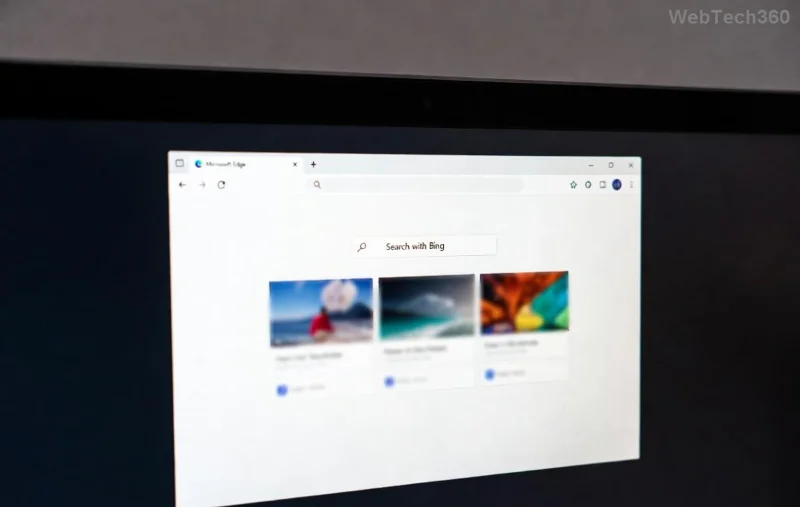
<strong>Microsoft Edge Firewall</strong> error screen showing blocked connection

Spot the signs? Error messages like "ERR_CONNECTION_RESET" or firewall pop-ups? Time for targeted fixes. Follow these steps in order for the best results.

🔍 Step-by-Step Troubleshooting Microsoft Edge "Firewall" Blocking Connections

Grab a coffee ☕ and let's troubleshoot systematically. Start simple, escalate if needed.

1️⃣ Verify and Allow Edge in Windows Firewall

The #1 culprit! Ensure Microsoft Edge is permitted:

  1. Press Win + R, type control firewall.cpl, hit Enter.
  2. Click Allow an app or feature through Windows Defender Firewall.
  3. Find Microsoft Edge (msedge.exe), check both Private/Public boxes. If missing, click Allow another app > Browse to C:\Program Files (x86)\Microsoft\Edge\Application\msedge.exe.
  4. Restart Edge. Test a site!

✅ Pro tip: For admins, use Advanced settings to create inbound/outbound rules for Edge ports (e.g., 80, 443).

2️⃣ Reset Edge Network and Security Settings

Clear corrupted configs without losing data:

  1. Open Edge, go to edge://settings/.
  2. Search "Reset settings" > Restore settings to their default values.
  3. Under Privacy > Security, toggle off Enhanced security temporarily.
  4. Clear browsing data (network-related only).
Step-by-step <strong>troubleshooting Microsoft Edge Firewall</strong> in Windows settings

3️⃣ Disable Interfering Antivirus/VPN Temporarily

Third-party tools often overblock:

🔒 Software Quick Disable Steps
Norton/McAfee Right-click tray icon > Disable real-time protection (15 mins).
ExpressVPN/NordVPN App dashboard > Disconnect & toggle firewall off.
Windows Defender Settings > Virus & threat > Manage settings > Real-time off.

Test Edge post-disable. Re-enable after confirming fix—safety first! 🛡️

4️⃣ Update Edge and Run Network Troubleshooter

Latest patches fix many bugs:

  1. Edge > Settings > About Microsoft Edge (auto-updates).
  2. Win + I > System > Troubleshoot > Other troubleshooters > Run Network Adapter & Internet Connections.
  3. Command Prompt (Admin): netsh winsock reset & netsh int ip reset, then reboot.

5️⃣ Advanced Fixes: Proxy, DNS, and Registry Tweaks

If basics fail:

  • Proxy check: Settings > System > Open proxy > Off unless needed.
  • DNS flush: CMD > ipconfig /flushdns. Switch to Google DNS (8.8.8.8).
  • Registry (caution!): regedit > HKEY_LOCAL_MACHINE\SYSTEM\CurrentControlSet\Services\SharedAccess > Ensure Edge exceptions.

For enterprise? Check Group Policy: gpedit.msc > Computer Config > Windows Settings > Security > Firewall.

📊 Quick Reference: Symptoms vs. Fixes

⚠️ Symptom 🎯 Likely Fix
ERR_CONNECTION_TIMED_OUT Firewall rule + Network reset
Blocked downloads/sites Antivirus disable + Edge reset
Works in Incognito only Extensions check & clear cache
Corporate network fails IT proxy whitelist Edge

🌟 Prevention Tips to Avoid Future Blocks

Stay ahead:

  • Keep Edge & Windows updated automatically. ⭐
  • Use official extensions only—scan with VirusTotal.
  • Whitelist Edge in all security software.
  • Regular network resets via Settings troubleshooter.

Still stuck? Dive deeper with Edge's official diagnostics or forums. You've got this—your Edge should fly now! 🚀 Questions? Drop a comment below for more tailored advice.

Empowering smooth browsing, one fix at a time. Happy surfing! 😊
Leave a Comment

Troubleshooting Microsoft Edge Firewall Blocking Connections

Troubleshooting Microsoft Edge Firewall Blocking Connections

Tired of Microsoft Edge "Firewall" blocking your connections? Follow this expert troubleshooting Microsoft Edge "Firewall" blocking connections guide for quick, reliable fixes. Restore smooth browsing instantly!

How to Fix Microsoft Edge DirectAccess Connectivity Error

How to Fix Microsoft Edge DirectAccess Connectivity Error

Tired of the frustrating Microsoft Edge "DirectAccess" connectivity error blocking your browsing? Discover proven, step-by-step solutions to fix Microsoft Edge DirectAccess error quickly and restore seamless connectivity. Works on latest Windows!

How to Use Microsoft Edge Read Aloud Feature for PDFs

How to Use Microsoft Edge Read Aloud Feature for PDFs

Master the Microsoft Edge Read Aloud feature for PDFs with this step-by-step guide. Enjoy customizable voices, speeds, and multitasking bliss for seamless reading. Perfect for students, professionals, and accessibility needs.

How to Fix Microsoft Edge Acrylic Effect Not Showing

How to Fix Microsoft Edge Acrylic Effect Not Showing

Discover how to fix Microsoft Edge Acrylic Effect not showing. Step-by-step guide with hardware acceleration tweaks, flags, and updates for that stunning blur effect back in seconds. Works on latest Edge versions!

Troubleshooting Edge Browser Security Plugin Errors

Troubleshooting Edge Browser Security Plugin Errors

Struggling with Edge browser security plugin errors? Discover proven fixes for common issues like crashes, blocks, and conflicts. Step-by-step troubleshooting to restore smooth browsing instantly.

Complete List of Microsoft Edge Keyboard Shortcuts

Complete List of Microsoft Edge Keyboard Shortcuts

Unlock peak productivity with the complete list of Microsoft Edge keyboard shortcuts. From tabs and navigation to developer tools, master every essential hotkey for faster browsing in the latest Edge version. Boost your workflow today!

Solving Microsoft Edge Internal Mic Static Sound Fix

Solving Microsoft Edge Internal Mic Static Sound Fix

Tired of annoying static buzz from your internal mic in Microsoft Edge? Follow our proven step-by-step guide to fix Microsoft Edge internal mic static noise permanently. Quick fixes, advanced tweaks, and prevention tips for crystal-clear calls and recordings.

How to Fix Microsoft Edge Capture Card No Signal 60FPS

How to Fix Microsoft Edge Capture Card No Signal 60FPS

Struggling with Microsoft Edge Capture Card No Signal at 60FPS? Discover step-by-step fixes to restore smooth 60FPS video capture, from quick tweaks to advanced troubleshooting. Get your setup working flawlessly today!

How to Manage Microsoft Edge Extensions and Permissions

How to Manage Microsoft Edge Extensions and Permissions

Unlock the full potential of your browser with this expert guide on how to manage Microsoft Edge extensions and permissions. Step-by-step tips for security, speed, and control—start optimizing today!

Troubleshooting Microsoft Edge Msi Error 1722 Win 11

Troubleshooting Microsoft Edge Msi Error 1722 Win 11

Stuck with MSI Error 1722 when installing or updating Microsoft Edge on Windows 11? Follow our expert troubleshooting guide with simple, effective fixes to get Edge running smoothly again. No tech skills required!

How to Change Your Microsoft Edge Profile and Personal Data

How to Change Your Microsoft Edge Profile and Personal Data

Discover step-by-step guide on how to change your Microsoft Edge profile and personal data. Switch profiles effortlessly, manage sync settings, and protect your privacy with the latest Edge features for ultimate control.

Troubleshooting Microsoft Edge HSTS Error and Security Attacks

Troubleshooting Microsoft Edge HSTS Error and Security Attacks

Stuck with Microsoft Edge HSTS Error? Get step-by-step troubleshooting fixes, uncover security attack risks, and secure your browsing. Proven solutions for the latest Edge updates – no tech skills needed!

How to Fix Microsoft Edge Unable to Connect to Proxy Server

How to Fix Microsoft Edge Unable to Connect to Proxy Server

Struggling with Microsoft Edge "Unable to Connect to Proxy Server" error? Discover proven, step-by-step fixes to get back online fast. No tech skills needed – resolve it in minutes!

How to Fix Microsoft Edge Login Screen Background Blur

How to Fix Microsoft Edge Login Screen Background Blur

Tired of the blurry Microsoft Edge login screen background? Get step-by-step fixes to restore sharp, clear visuals on your Windows PC. Proven methods for the latest Edge versions.

How to Fix Microsoft Edge Update Stuck at 0% or 100%

How to Fix Microsoft Edge Update Stuck at 0% or 100%

Frustrated with Microsoft Edge update stuck at 0% or 100%? Discover simple, effective fixes to resolve the issue fast and update smoothly without losing data. Step-by-step guide for Windows users.