Make Realistic Fake Blood Without a Cleanup Surprise

Mix a glossy prop-only fake blood batch, choose safer products for skin and costumes, and test cleanup before Halloween night.
DeepSeek, the Chinese company behind the free AI model that shook the tech world, is facing a number of negative allegations, including using smuggled Nvidia GPUs to train and run its eponymous AI model.
Accordingly, the US Department of Commerce is considering investigating whether DeepSeek illegally accessed and obtained Nvidia GPUs through intermediaries in Singapore. In recent years, the United States has maintained strict restrictions on the export of advanced chips to China, in order to maintain its leading position in technology and slow down the rapid development of its competitors.
DeepSeek recently made headlines with the release of its R1 inference model, which is said to be close in performance to OpenAI’s o1 model, which is only available as part of the ChatGPT Pro subscription plan that requires a paid subscription. What makes DeepSeek so appealing is that it not only has similar performance, but it is also released as open source and free to everyone. Those who have never had the chance to experience OpenAI’s cutting-edge inference model now have DeepSeek R1 as a worthy alternative.
DeepSeek was so popular that the app rose to No. 1 on the US App Store charts, causing the US stock market to plummet with $2 trillion in market capitalization wiped out in just a few days.
Notably, DeepSeek claims that it did all this with just 2,000 Nvidia H800 GPUs and an estimated $6 million in investment costs, a small number compared to the huge investments poured into OpenAI and many other similar AI models.
According to Citigroup, US tech giants like Microsoft, Meta, Amazon and Alphabet spent a combined $209 billion on data infrastructure last year, with 80% of that going to data centers. This has led many to question whether DeepSeek is truly different from OpenAI and other US AI companies, and whether it is really possible to train AI models with so many fewer resources.
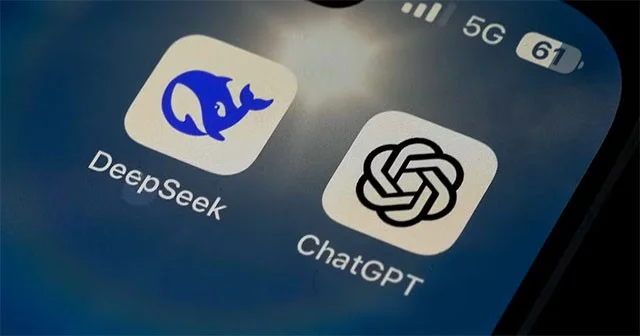
David Sacks, a former artificial intelligence official under President Donald Trump, said in a recent interview that there is “substantial evidence” that DeepSeek has been sifting OpenAI’s output to train its own models. This sifting process involves a “child model” (DeepSeek) mimicking the reasoning of the “parent model” (OpenAI), similar to how humans learn, by asking millions of questions. Microsoft and OpenAI have also launched their own investigations into the matter, primarily to determine whether DeepSeek improperly accessed OpenAI’s data.
DeepSeek says it uses the H800 chip — an AI chipset that Nvidia developed specifically for the Chinese market after export controls were first imposed. It’s unclear how DeepSeek acquired the Nvidia H800s, but the company could have purchased them in late 2022 or 2023.
There is no evidence that DeepSeek used smuggled chips. But many Chinese AI companies are believed to have done so. Organized smuggling of AI chips into China has been observed in several countries, including Malaysia, Singapore, and the United Arab Emirates.
Mix a glossy prop-only fake blood batch, choose safer products for skin and costumes, and test cleanup before Halloween night.
Create a gentle Halloween look with pastel colors, friendly ghosts, easy no-carve accents, and practical safety tips for your home.
Create a spooky office cubicle with Halloween desk decor ideas that keep your workspace usable, tidy, and mindful of workplace safety.
Plan a recognizable Halloween 2026 look with pop culture costumes inspired by Spider-Man, Supergirl, Toy Story 5, Moana, Mario, and Wednesday.
Sort leftover Halloween candy safely, share or repurpose sealed treats, and choose food use or compost for pumpkins based on their condition.
Compare workplace Halloween costume choices by respect, dress code, mobility, and safety—and learn when a subtle accessory or a policy check is the better option.
Find a couples costume that fits your style, budget, and comfort level, from Addams Family classics to original inside-joke duos.
Need a last-minute high school Halloween costume? Compare 10 easy closet-based ideas by prep time, comfort, school-day practicality, and simple safety checks.
Use a simple 2026 Halloween decorating timeline for indoor décor, outdoor displays, and fresh pumpkins, with practical adjustments for weather and events.
Mix five vivid, approachable Halloween cocktails with measured recipes, simple prep tips, and an alcohol-free option for your party guests.








