Desk Decorating Ideas for a Spooky Office Cubicle

Create a spooky office cubicle with Halloween desk decor ideas that keep your workspace usable, tidy, and mindful of workplace safety.
Azure AI Content Safety is Microsoft's AI service that detects harmful AI-generated content across apps, services, and platforms. It provides both text and image APIs, allowing developers to identify unwanted content.
The Groundedness API in Azure AI Content Safety can identify whether a large language model's response is based on a user-selected source document. Since current large language models can generate inaccurate or non-genuine information (illusory information), this API helps developers identify such content in AI output.
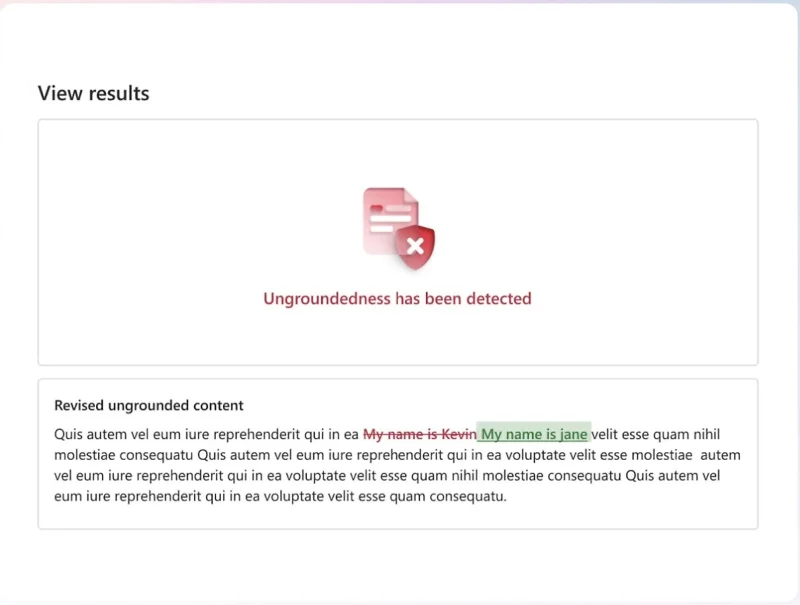
Today, Microsoft announced a preview of its error correction capabilities, which will allow developers to detect and correct “delusional” content in AI output in real time, ensuring end users always receive factually accurate AI-generated content. Here’s how it works:
In addition to the editing feature, Microsoft also announced a public preview of Hybrid Azure AI Content Safety (AACS). This feature allows developers to deploy content safety mechanisms in the cloud and on the device. The AACS embedded SDK enables real-time content safety checks directly on the device, even without an internet connection.
Finally, Microsoft announced a preview of Protected Materials Detection for Code, which can be used with code-generating AI applications to detect if LLM is generating any protected code. This feature was previously only available through the Azure OpenAI Service. Microsoft is now making Protected Materials Detection for Code available to customers for use in conjunction with other code-generating AI models.
Create a spooky office cubicle with Halloween desk decor ideas that keep your workspace usable, tidy, and mindful of workplace safety.
Plan a recognizable Halloween 2026 look with pop culture costumes inspired by Spider-Man, Supergirl, Toy Story 5, Moana, Mario, and Wednesday.
Sort leftover Halloween candy safely, share or repurpose sealed treats, and choose food use or compost for pumpkins based on their condition.
Compare workplace Halloween costume choices by respect, dress code, mobility, and safety—and learn when a subtle accessory or a policy check is the better option.
Find a couples costume that fits your style, budget, and comfort level, from Addams Family classics to original inside-joke duos.
Need a last-minute high school Halloween costume? Compare 10 easy closet-based ideas by prep time, comfort, school-day practicality, and simple safety checks.
Use a simple 2026 Halloween decorating timeline for indoor décor, outdoor displays, and fresh pumpkins, with practical adjustments for weather and events.
Mix five vivid, approachable Halloween cocktails with measured recipes, simple prep tips, and an alcohol-free option for your party guests.
Find 15 office-friendly Halloween costume ideas for 2026, with practical checks for dress codes, respectful themes, comfort, and workplace safety.
Plan a fun elementary school Halloween party with easy crafts, games, inclusive treats, costume tips, and a sample 75-minute classroom schedule.








