Pop Culture Costume Ideas That Will Dominate Halloween 2026

Plan a recognizable Halloween 2026 look with pop culture costumes inspired by Spider-Man, Supergirl, Toy Story 5, Moana, Mario, and Wednesday.
People used to watch YouTube on their computers, then they mostly watched it on their phones. But today, when people think of YouTube, they think of TV.
TV is the place to watch long videos
What people watch on YouTube has changed. Short tutorial videos made sense in a web browser, but that’s not what people watch much anymore. Now, a short YouTube video is still easily 20 minutes long. Some are hour-long documentaries. You can even legally watch feature films for free!
At the same time, video quality has skyrocketed. Old YouTube videos would look pixelated on a big screen. Now, YouTubers shoot at such high resolution that you can't fully appreciate their work when watching on a 6-inch screen.
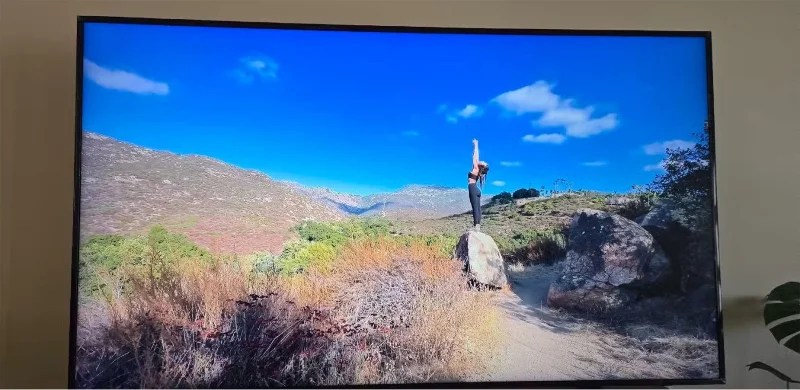
TV is the perfect place to fully appreciate the length and image quality of modern YouTube videos.
Suggested videos are hidden
Watching YouTube without a video you don't want to watch somewhere in sight is a pain. After all, this is Google 's money-making strategy , to keep you watching by luring you into something else you might find interesting.
If you allow Google to save your watch history, these recommendations will be tailored to you and more likely to be things you want to watch, keeping you on YouTube longer. If you don't let YouTube save your history, suggested videos will often be about whatever's hot in the world and someone's immediate perspective on it.
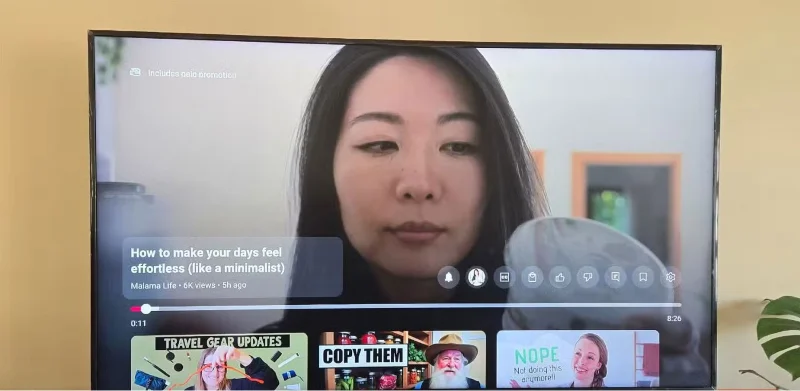
YouTube on TV makes it easier to avoid these videos. They only appear when you pause the video, and the recommendations don't seem as extreme.
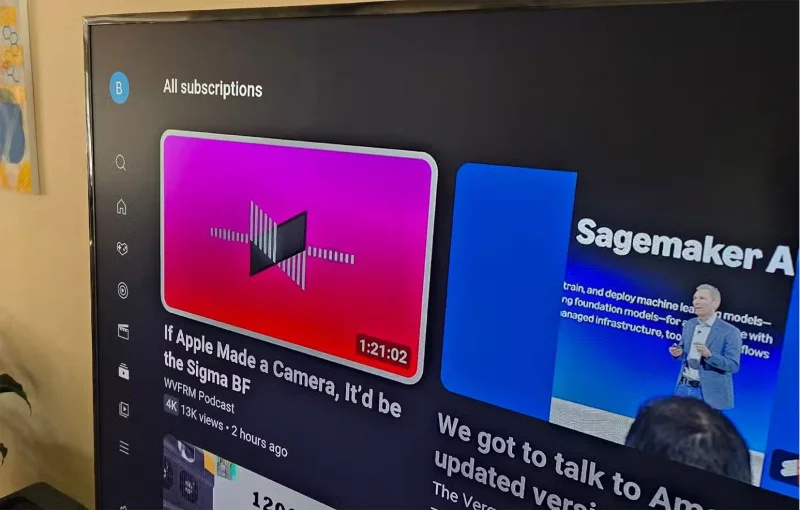
On your TV, you can open the YouTube app, browse your subscriptions, and watch full videos without seeing any malicious thumbnails unless you pause.
Comments are hidden
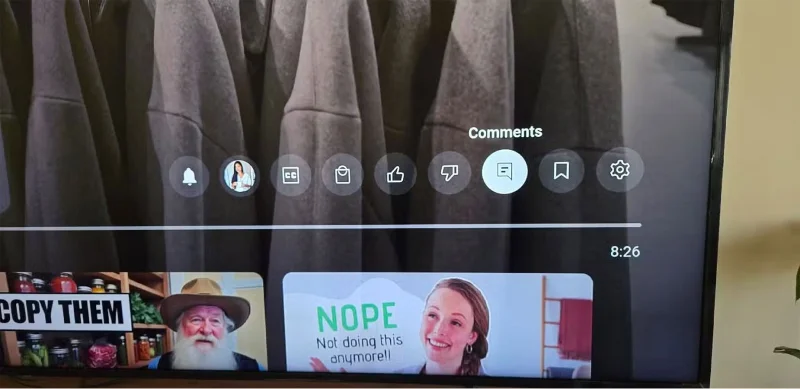
Comments are even more hidden as you have to navigate to the comment icon to see them.
Watching YouTube on your phone encourages you to read comments, whereas on TV, you're more likely to forget them.
Easy-to-navigate registration with remote control
Admittedly, many people have been reluctant to use YouTube on their TVs in the past. A big part of that is because they didn’t subscribe to channels. Instead, they just searched for what they wanted to watch. The idea of doing this with a remote control or even voice control is exciting enough to get you started.
People mostly subscribe to a bunch of channels they find interesting, pay YouTube Premium to support their work without seeing ads, and get into the habit of checking in regularly for new videos they post. In fact, this is easier to do on TV than on a phone. Multiple video thumbnails fit on the screen at once. The experience doesn’t feel like you’re scrolling through another social media app. Instead, it makes YouTube feel more like a video streaming platform.
Now you can enjoy better videos
Playing YouTube on your TV is more like enjoying each video. People actively experience it. They sit down to watch the video instead of just letting it play while doing other things. You can see every detail without having to glance at your phone from a few feet away.
Sure, people still use their phones sometimes. There are some YouTubers that people like to listen to while doing the dishes. But the videos that you want to sit down and actively watch are now available on your TV. Sit back, put your feet up, and enjoy your favorite content!
Plan a recognizable Halloween 2026 look with pop culture costumes inspired by Spider-Man, Supergirl, Toy Story 5, Moana, Mario, and Wednesday.
Sort leftover Halloween candy safely, share or repurpose sealed treats, and choose food use or compost for pumpkins based on their condition.
Compare workplace Halloween costume choices by respect, dress code, mobility, and safety—and learn when a subtle accessory or a policy check is the better option.
Find a couples costume that fits your style, budget, and comfort level, from Addams Family classics to original inside-joke duos.
Need a last-minute high school Halloween costume? Compare 10 easy closet-based ideas by prep time, comfort, school-day practicality, and simple safety checks.
Use a simple 2026 Halloween decorating timeline for indoor décor, outdoor displays, and fresh pumpkins, with practical adjustments for weather and events.
Mix five vivid, approachable Halloween cocktails with measured recipes, simple prep tips, and an alcohol-free option for your party guests.
Find 15 office-friendly Halloween costume ideas for 2026, with practical checks for dress codes, respectful themes, comfort, and workplace safety.
Plan a fun elementary school Halloween party with easy crafts, games, inclusive treats, costume tips, and a sample 75-minute classroom schedule.
Compare realistic side hustles for 2026 by startup cost, fees, flexibility, and income control, with current tax and scam guidance from official sources.








