Leftover Halloween Candy and Pumpkins: What to Do Next

Sort leftover Halloween candy safely, share or repurpose sealed treats, and choose food use or compost for pumpkins based on their condition.
Apple Intelligence promised big things, but after exploring its features, many people were disappointed. From uninspiring photo editing tools to limited device compatibility, Apple still has a long way to go to catch up with its competitors.
Table of Contents
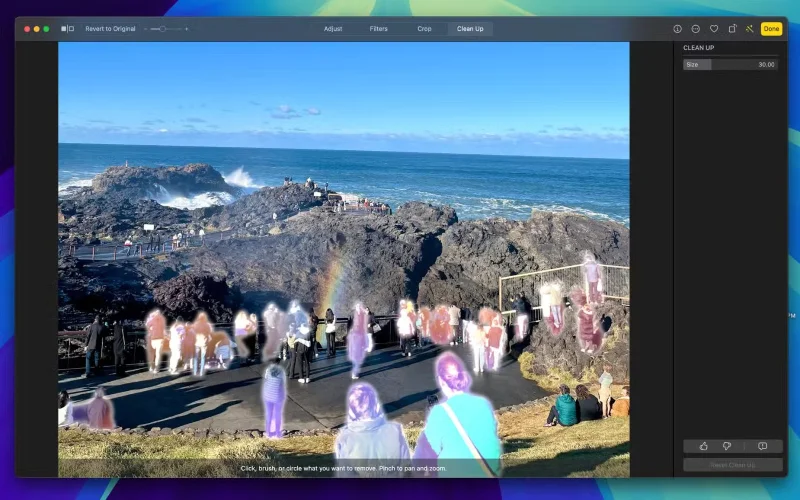
Many were eager to see what Apple had in store for its photo editing AI, especially after Google’s impressive work. Unfortunately, people were left sorely disappointed. The only feature, Clean Up, works like Google’s Magic Eraser, allowing you to remove objects or people from photos.
While it's impressive that it runs on the device and works great for simple edits, the results don't match Google's tools. What's more disappointing, however, is the lack of additional photo editing features.
In contrast, the Google Pixel 9 has a ton of AI features like Add Me, which ensures everyone is included in group shots, and Reimagine, which lets you replace parts of an image with just text descriptions. Apple could definitely learn from Google here. Features like this make users feel like Google is the one driving real innovation, while Apple seems to be just playing catch-up.
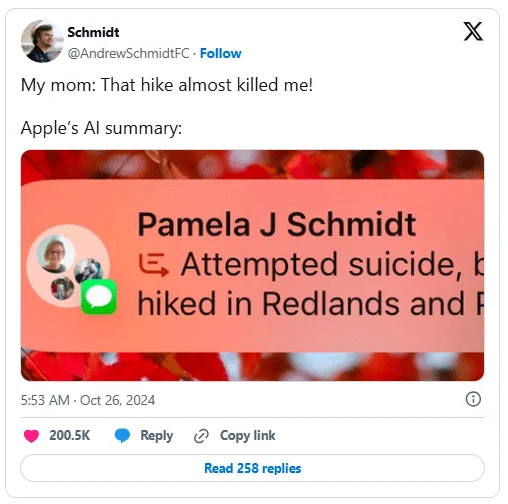
One Apple Intelligence feature that many people particularly like is notification summaries, which use built-in LLM to provide a concise summary of all notifications from an app.
This feature is especially useful for managing long group chat messages or a series of notifications. While the concept sounds great in Apple's announcement, the actual implementation is less than ideal.
You'll get summaries, especially from messaging apps, that don't make sense. Sometimes it just gives you something really shocking, but then you realize it didn't interpret the message correctly.
This has caused many people to stop relying on these summaries altogether because they are unreliable.
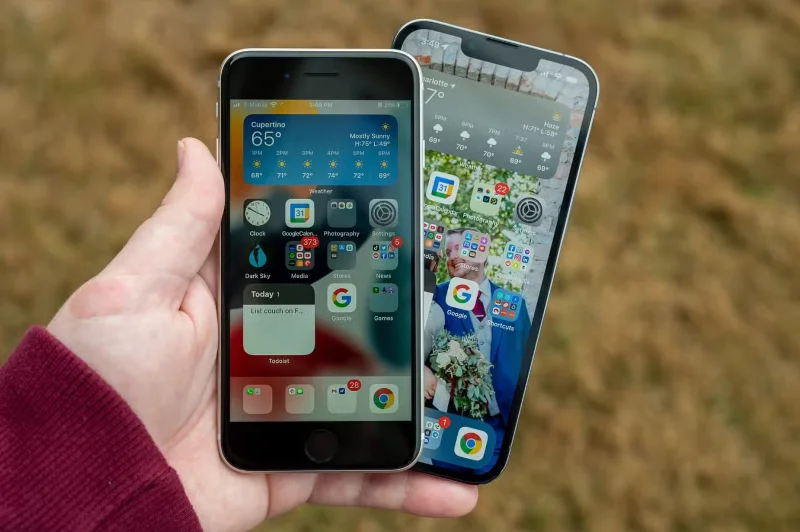
Another big disappointment with Apple Intelligence is its limited availability on devices. While it’s understandable that features like Clean Up or Writing Tools require more RAM and processing power, it’s absurd that cloud-based features aren’t available on older devices.
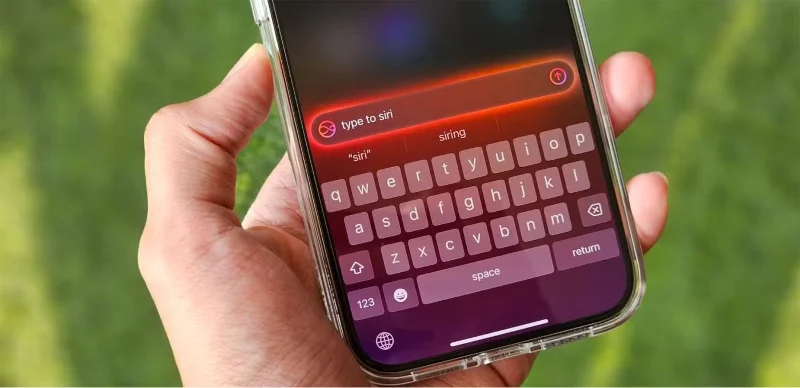
A good example is the ChatGPT integration , where Siri can tap into ChatGPT for requests it can’t handle directly. The same problem applies to Visual Intelligence, which doesn’t involve on-device processing. It’s frustrating because you can use third-party apps to access the same features on unsupported devices and get nearly identical results.
This isn’t the only confusing aspect—it feels like a huge missed opportunity that Apple’s home devices, like the HomePods and Apple TV, are completely stripped of any Apple Intelligence features. These devices are arguably some of the most ideal devices in Apple’s lineup to incorporate such capabilities.
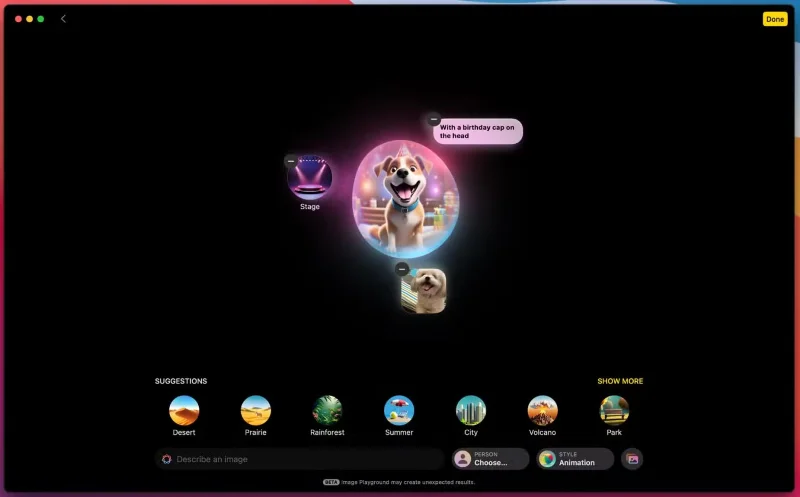
One of the worst Apple Intelligence features is Image Playground. This app generates AI images based on text descriptions or existing photos—but it's hard to tell when people will actually use it.
The art style seems too childish for many people’s taste. I can’t imagine using Image Playground to create images worth sharing with friends or family. It just feels like a gimmick. Of all the desirable Apple Intelligence features , a more realistic image-generating model would definitely be at the top.
One bright spot, however, is Genmojis, which are essentially custom emojis that you can create based on a text prompt. This is an area where Apple has really done well.
Apple Intelligence also appears to be developing at an unusually slow pace, with some features, including the highly anticipated context-aware Siri, potentially delayed until April 2025 – despite being announced as a major feature in June 2024.
Priority messaging is also completely absent, with no release date announced, making it difficult to recommend Apple Intelligence to anyone, as it offers very few features and is also unfinished.
While Apple has made progress, especially with its privacy-focused handling of on-device processing, it's clear that it's holding back and still has a long way to go to compete with Google's AI suite.
Not only has Apple failed to deliver on the grand promises it made when it announced Apple Intelligence, but the little progress the company has made so far has been disappointing and frankly unimpressive. Ironically, that’s not what most people are concerned about.
Many people never delete old photos from their phones (even though they should) and tend to download too many random apps - as if they had unlimited storage.
Unfortunately, Apple Intelligence only makes this problem worse. When it first launched with iOS 18.1, you needed at least 4GB of free storage on your device to download it. Unlike what Apple promised, the first wave of Apple Intelligence only included limited features like the controversial Clean Up tool and Notification Summaries.
After the release of iOS 18.2, ChatGPT integration with Siri was added, along with Image Playground and Genmoji. However, these new features come at a price. The minimum storage requirement nearly doubled from 4GB to 7GB.
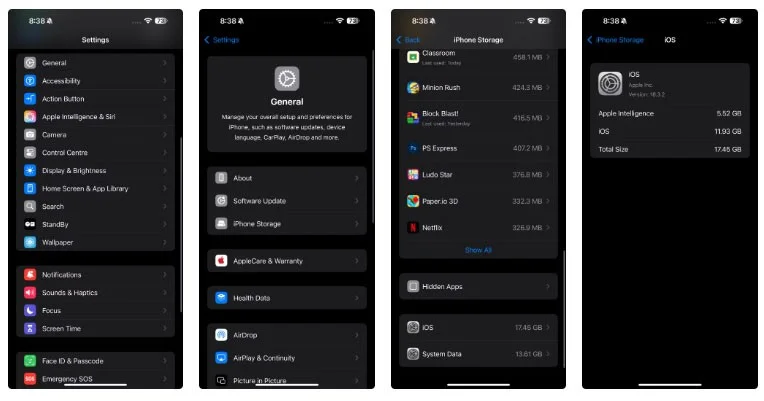
You can check how much storage it's taking up by going to Settings > General > iPhone Storage ( iPad Storage on iPad and Storage on Mac). Scroll all the way down, tap iOS/iPadOS/macOS and the icon next to Apple Intelligence will show how much storage it's taking up.
The weirdest part is that the amount of storage Apple Intelligence uses is inconsistent and varies greatly from device to device.
For example, one Reddit user mentioned that Apple Intelligence was taking up 9.18GB on his iPhone. Another person in the same post, who recently purchased Apple's new low-cost iPhone 16e with 128GB of storage, found that Apple Intelligence was taking up 8GB of space. Overall, Apple Intelligence is using 6.25% of the phone's total storage.
And that’s not all. On the same iOS/iPadOS/macOS page, you’ll also see another number that shows how much storage the system itself is using. While creating your own emoji and getting a revamped Siri are tempting, none of Apple’s intelligence is worth sacrificing that much storage. Many people would rather download a few useless apps or keep their memories safe than pay for more iCloud storage.
Unfortunately, if you have Apple Intelligence enabled on your Apple device, turning it off in the hopes of reclaiming storage space may not do any good. Apple’s Support page mentions that your device’s templates “may” be deleted if you turn off Apple Intelligence, so it seems like the decision to give you back that precious storage space is entirely up to Apple.
Previously, you could fix this issue by factory resetting your Apple device (though that wasn’t ideal), but even that may no longer work. That’s because Apple Intelligence is enabled by default in iOS 18.3 and later, meaning storage will be used as soon as it’s enabled.
While you can't free up storage space, you can significantly improve your iPhone's battery life by turning off Apple Intelligence .
Sort leftover Halloween candy safely, share or repurpose sealed treats, and choose food use or compost for pumpkins based on their condition.
Compare workplace Halloween costume choices by respect, dress code, mobility, and safety—and learn when a subtle accessory or a policy check is the better option.
Find a couples costume that fits your style, budget, and comfort level, from Addams Family classics to original inside-joke duos.
Need a last-minute high school Halloween costume? Compare 10 easy closet-based ideas by prep time, comfort, school-day practicality, and simple safety checks.
Use a simple 2026 Halloween decorating timeline for indoor décor, outdoor displays, and fresh pumpkins, with practical adjustments for weather and events.
Mix five vivid, approachable Halloween cocktails with measured recipes, simple prep tips, and an alcohol-free option for your party guests.
Find 15 office-friendly Halloween costume ideas for 2026, with practical checks for dress codes, respectful themes, comfort, and workplace safety.
Plan a fun elementary school Halloween party with easy crafts, games, inclusive treats, costume tips, and a sample 75-minute classroom schedule.
Compare realistic side hustles for 2026 by startup cost, fees, flexibility, and income control, with current tax and scam guidance from official sources.
Upgrade your home office ergonomics with current OSHA and NIOSH guidance on chair fit, monitor height, laptop setup, lighting, and movement.








