Pop Culture Costume Ideas That Will Dominate Halloween 2026

Plan a recognizable Halloween 2026 look with pop culture costumes inspired by Spider-Man, Supergirl, Toy Story 5, Moana, Mario, and Wednesday.
_(underscore) in Golang is called Blank Identifier . Identifier is a user-defined name of program elements used for identification purposes.
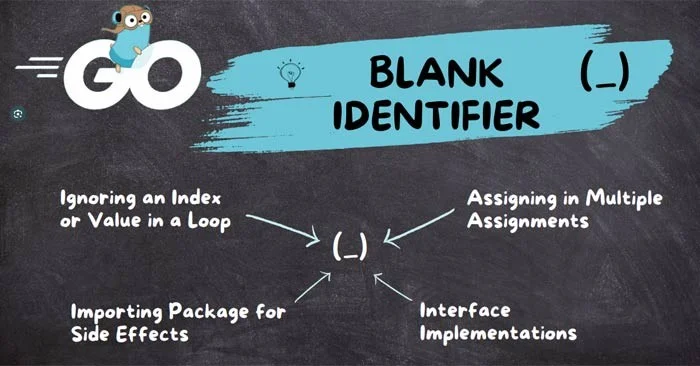
Golang has a special feature of defining and using unused variables using Blank Identifier. Unused variables are those variables that are defined by the user during the program but he never uses them. These variables make the program almost unreadable. As you know, Golang is a more concise and readable programming language so it does not allow the programmer to define an unused variable. If you do so, the compiler will give you an error.
The real use of Blank Identifier comes when a function returns multiple values, but we only need a few values and need to get rid of the extra ones. It basically tells the compiler that this variable is not needed and ignores it without any error. It hides the values of the variable and makes the program readable. So whenever you assign a value to Blank Identifier, it will not be used.
Example 1: In the program below, the function mul_div returns two values and we store both values in mul and div identifiers . But in the entire program, we are using only one variable i.e. mul . So, the compiler will throw an error that div is declared and not used.
// Chương trình Go hiện trình biên dịch
// báo lỗi nếu một biến
// được khai báo nhưng không được sử dụng

package main

import "fmt"

// Hàm chính
func main() {

	// gọi hàm này
	// hàm trả về hai giá trị được gán
	// cho định danh mul và div
	mul, div := mul_div(105, 7)

	// chỉ dùng biến mul
	// trình biên dịch sẽ báo lỗi
	fmt.Println("105 x 7 = ", mul)
}

// hàm trả về hai
// giá trị của kiểu integer
func mul_div(n1 int, n2 int) (int, int) {

	// trả về các giá trị này
	return n1 * n2, n1 / n2
}
Result:
./prog.go:15:7: div được khai báo nhưng không được dùngExample 2: Use the Blank identifier to fix the above program. Instead of the div identifier, just use _ (underscore) . It allows the compiler to ignore the declaration error and not use it for that particular variable.
// Chương trình Go dùng định danh trống

package main

import "fmt"

// Hàm chính
func main() {

	// gọi hàm này
	// hàm trả về hai giá trị
	// được gán cho định danh mul và trống
	mul, _ := mul_div(105, 7)

	// chỉ dùng biến mul
	fmt.Println("105 x 7 = ", mul)
}

// hàm trả về hai giá trị
// của kiểu integer
func mul_div(n1 int, n2 int) (int, int) {

	// trả về giá trị này
	return n1 * n2, n1 / n2
}
Result:
105 x 7 = 735Important points to remember:
Plan a recognizable Halloween 2026 look with pop culture costumes inspired by Spider-Man, Supergirl, Toy Story 5, Moana, Mario, and Wednesday.
Sort leftover Halloween candy safely, share or repurpose sealed treats, and choose food use or compost for pumpkins based on their condition.
Compare workplace Halloween costume choices by respect, dress code, mobility, and safety—and learn when a subtle accessory or a policy check is the better option.
Find a couples costume that fits your style, budget, and comfort level, from Addams Family classics to original inside-joke duos.
Need a last-minute high school Halloween costume? Compare 10 easy closet-based ideas by prep time, comfort, school-day practicality, and simple safety checks.
Use a simple 2026 Halloween decorating timeline for indoor décor, outdoor displays, and fresh pumpkins, with practical adjustments for weather and events.
Mix five vivid, approachable Halloween cocktails with measured recipes, simple prep tips, and an alcohol-free option for your party guests.
Find 15 office-friendly Halloween costume ideas for 2026, with practical checks for dress codes, respectful themes, comfort, and workplace safety.
Plan a fun elementary school Halloween party with easy crafts, games, inclusive treats, costume tips, and a sample 75-minute classroom schedule.
Compare realistic side hustles for 2026 by startup cost, fees, flexibility, and income control, with current tax and scam guidance from official sources.








