9 reasons why your phone battery drains quickly
Battery is an extremely important factor in smartphone user experience.
The competition in terms of processing power or screen resolution in the smartphone world has really cooled down, now is the time for companies to compete with each other on the number of dots on the camera as well as the quality of the photos. This trend is being led by a series of Android giants such as Oppo, Huawei, Samsung, or Xiaomi.
While “image quality” is a factor that is more subjective and personal, “megapixels” is a specific quantitative number, easier to put on the scale of comparison. That is also the reason why companies are focusing so much on advertising this aspect, even causing many people to misunderstand and consider this an important factor in choosing to buy a smartphone.
After all, with today's smartphones, we can take stunning photos and videos to share with the world. But when it comes to camera megapixels, it's important to remember that more isn't always better. In fact, there are a number of reasons why you shouldn't buy a smartphone based solely on its camera megapixels.
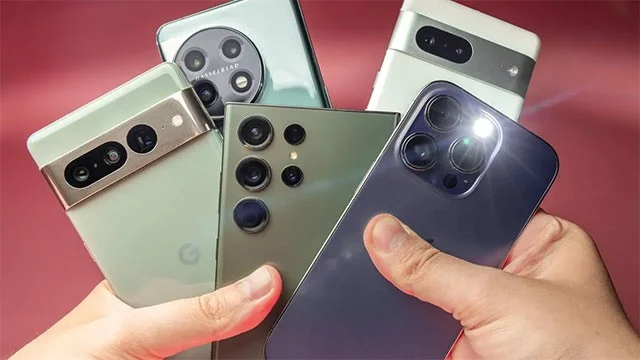
Megapixels don't tell the whole story
Megapixels refer to the resolution of the images a camera can capture, with one megapixel being one million pixels. While it’s true that more pixels can produce sharper images, the difference becomes less noticeable in certain situations. For example, a 12MP camera and a 48MP camera may not produce a noticeably different image in everyday use, especially on a smartphone screen or even a standard computer monitor. Higher resolutions are mainly beneficial for large prints or extreme zooms, which most users rarely need.
Sensor size is more important than megapixels
The most important component of a smartphone camera is the image sensor. This small chip captures light and converts it into an image. Larger sensors let in more light, resulting in better low-light performance, improved dynamic range, and richer color accuracy.
For example, the Apple iPhone and Google Pixel lines are both known for their exceptional camera performance, using sensors that emphasize quality over megapixel count. Despite having lower megapixel counts than some of their competitors, the iPhone and Pixel consistently deliver superior real-world photography thanks to the advanced sensor technology they employ.
Lens quality and aperture
Another important factor that determines the performance of a smartphone camera is the quality of the lens and the size of the aperture. The lens focuses light onto the sensor, and higher quality lenses can reduce distortion and aberrations. Meanwhile, the aperture (usually expressed as an f/ number like f/1.8, f/2.2) controls the amount of light that reaches the sensor.
A lower f-number means a larger aperture, allowing more light to hit the sensor, which is especially beneficial in low light. Even a 108MP camera with a small sensor and narrow aperture can struggle in low light, resulting in grainy images.

Image processing
What happens after you take a photo is just as important. Modern smartphones rely heavily on post-processing algorithms to improve the quality of the final image that reaches the user. These algorithms handle everything from noise reduction to HDR processing, color correction, and even computational photography techniques like night mode or portrait mode.
For example, Apple's iPhone is famous for its image processing capabilities, delivering consistently high-quality photos even with lower megapixel counts, showing that the camera's software can be just as important as the device's hardware.
Conclude
While megapixels are an essential aspect of a smartphone camera, they are not the only factor that determines image quality. A great smartphone camera setup with a good sensor, quality lens, and powerful image processing software will always produce better photos than relying on high megapixel counts alone.
When choosing your next smartphone, consider the entire camera system and how it performs in real-world situations, rather than just the megapixel count. That way, you'll likely end up with a device that offers a more versatile, reliable, and enjoyable photography experience.
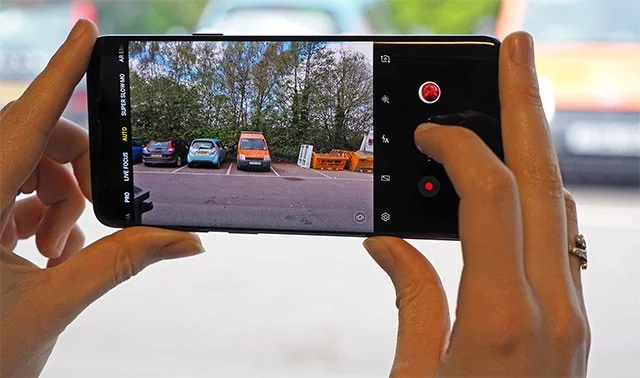
Battery is an extremely important factor in smartphone user experience.
Many phone manufacturers have begun introducing devices with ultra-thin designs to test the market before deciding whether they can push it into a mainstream.
Samsung is a popular smartphone manufacturer with a product range covering almost every segment of the market under the Galaxy brand.
According to the official price list announced by Huawei itself, repairing the Mate XT Ultimate screen will cost up to 7,999 CNY, equivalent to 1,123 USD or nearly 28 million VND, equal to the price of an iPhone 16 Pro Max.
Taiwanese semiconductor group MediaTek has just officially introduced the Dimensity 9400+, the successor to the flagship chip line Dimensity 9400 launched last year.
There is a long-standing belief that magnets can damage electronic devices placed nearby.
To make your mobile hotspot stand out and be easier to find, you can give it a unique and distinctive name.
For a long time, phone cases have become an indispensable accessory for many smartphone users.
Understanding the iPhone LL / A code is essential. Discover what country it comes from, where the iPhone is made, and how to utilize this code effectively!
Learn how to exit Kids Home mode on Samsung devices, even when you
Discover the origin of your iPhone with TA / A code. Understand its quality and warranty policies.
Discover solutions for 16 common errors on Zalo! This guide covers causes and quick fixes to ensure a smooth experience on the app.
Are you busy and don’t want to be disturbed by Zalo message alerts? Follow these simple steps to turn off vibration and message alerts for Zalo on both iPhone and Android devices.
Discover everything about the iPhone KH / A code, its origin, and whether it is a reliable choice for users. This article offers insights into the iPhone and its market codes.
Master uploading custom backgrounds to Microsoft Teams with this easy step-by-step guide. Personalize your meetings effortlessly on desktop, web, or mobile for a professional edge.
Struggling with Microsoft Teams "Error on Phone" on iOS or Android? Discover step-by-step fixes for calls, permissions, network issues, and more. Get back to seamless teamwork fast!
Tired of Microsoft Teams OneDrive error blocking file sharing? Follow our expert step-by-step guide to fix sync issues, permissions errors, and more quickly. Get back to seamless collaboration today!
Struggling with Microsoft Teams screen flickering? Discover step-by-step solutions to fix this annoying error, from disabling hardware acceleration to driver updates. Get smooth video calls today!
Struggling with Microsoft Teams "Network Error" on public Wi-Fi? Get instant fixes like VPN tweaks, port checks, and cache clears to restore calls and meetings seamlessly. Step-by-step guide for quick relief.
Tired of the frustrating Microsoft Teams "Where\
Unlock seamless learning with Microsoft Teams for Students! Step-by-step guide to joining classes in 2026, troubleshooting tips, and pro hacks for ultimate success. Perfect for students everywhere.
Tired of Microsoft Teams License Error 0x80048504 blocking your meetings? Get instant fixes with proven steps to resolve it permanently. Clear cache, reset licenses, and more – works every time!
Struggling with Microsoft Teams "Remove Account" error? Discover step-by-step fixes to resolve it quickly. Clear cache, reset app, and more for seamless account management in the latest Teams version.
Tired of the frustrating Microsoft Edge "Not Working with Teams" error? Discover step-by-step fixes to get Microsoft Teams running smoothly in Edge. Quick, reliable solutions for seamless collaboration.
Tired of "Microsoft Error" crashing your Microsoft Teams? Discover step-by-step troubleshooting for Microsoft Teams errors, from cache clearing to advanced fixes. Get back to seamless collaboration today!
Stuck with Microsoft Teams Meeting Error 2026? Follow our proven troubleshooting Microsoft Teams "Meeting Error" 2026 steps for instant fixes. Get back to smooth meetings fast with the latest solutions.
Struggling with Microsoft Teams "Installing Error" on Windows Server? Discover proven, step-by-step fixes including MSI deployment, cache clearing, and PowerShell tweaks to resolve issues fast and get Teams running smoothly. Updated with latest methods.
Struggling with Microsoft Teams voice issues? Master troubleshooting Microsoft Teams voice and VOIP errors like no audio, echo, or choppy calls. Proven fixes for crystal-clear communication in Teams.
Tired of the frustrating Microsoft Teams download failed due to unexpected error? Discover quick, step-by-step fixes to resolve it fast and download Teams smoothly on Windows, Mac, or web. No tech skills needed!









